Your meetings,
unified.
AI-powered meeting companion for macOS — always-on menu bar countdown, smart notifications with one-tap Join, and AI insights in one place. Connect multiple Google accounts and never miss a call again.
Everything you need for
seamless meetings
Built natively for macOS with speed and simplicity in mind.

All your calendars
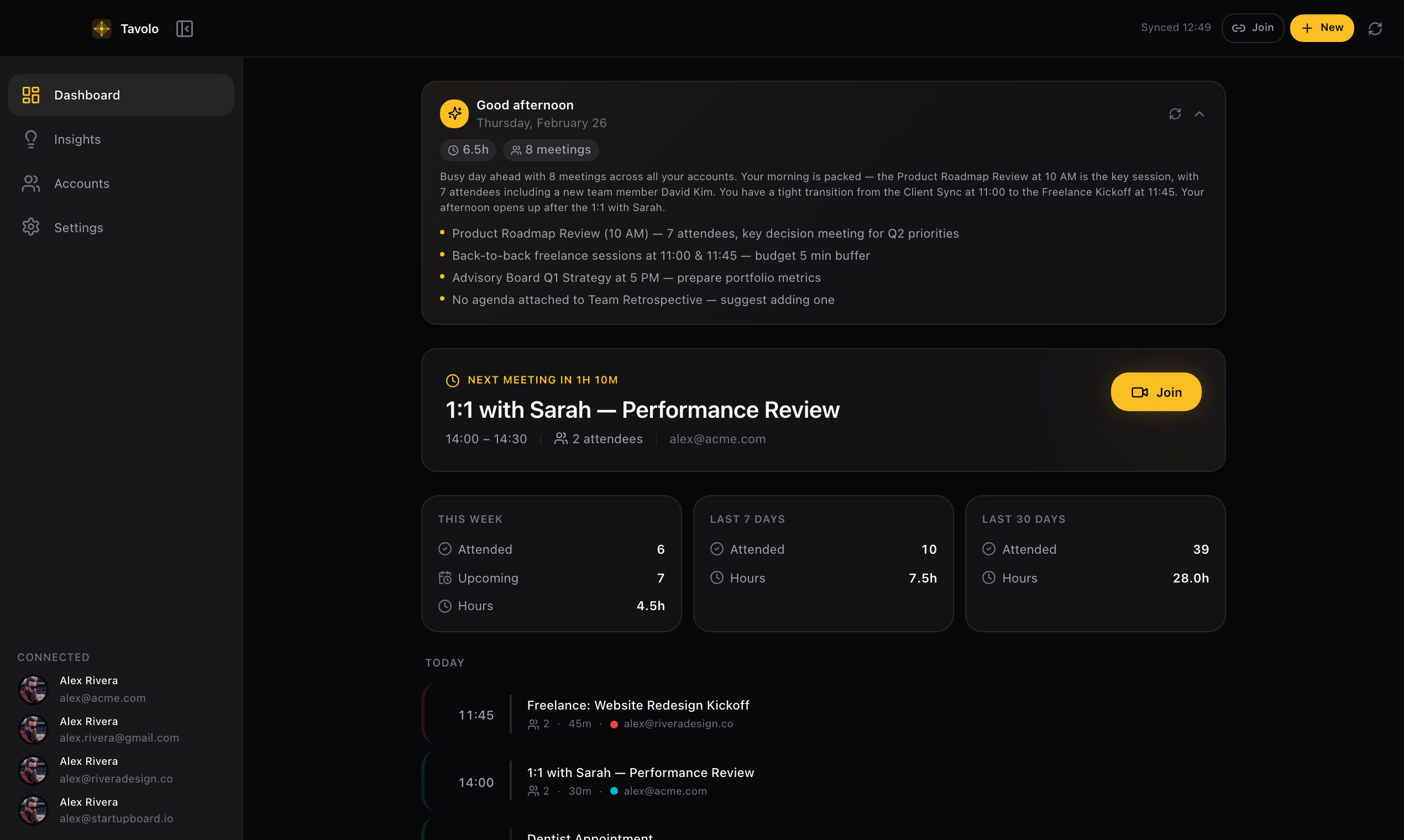
Aggregate events from multiple Google accounts in a single, unified timeline. Personal and work — side by side.

One-click join
Jump into Google Meet calls directly from Tavolo. No browser tabs, no searching for links — just click and join.

Multi-account
Connect personal, work, and team accounts seamlessly. Each with its own color and identity, all in one app.
AI Meeting Prep
Get context, attendee intel, and group history before every meeting. Pattern alerts flag missing agendas, declined attendees, and scheduling conflicts.
AI Briefings & Insights
Daily briefings summarize your schedule. Monthly insights track meeting patterns, busiest days, and time spent in calls. Powered by on-device AI, Claude, GPT, or Gemini.
Smart notifications
Native macOS notifications with time, duration, and attendee count. One-tap Join button opens the right Google account — no searching for links.
Menu bar widget
Always-on countdown in your menu bar. See upcoming meetings, join calls, and stay in the loop — even when the main window is closed.
Privacy first
Run AI entirely on-device or bring your own cloud key. All data encrypted in macOS Keychain — nothing leaves your Mac. No analytics, no tracking.
Native. Fast. Beautiful.
Built with the same attention to detail you expect from your favorite Mac apps.
Dashboard
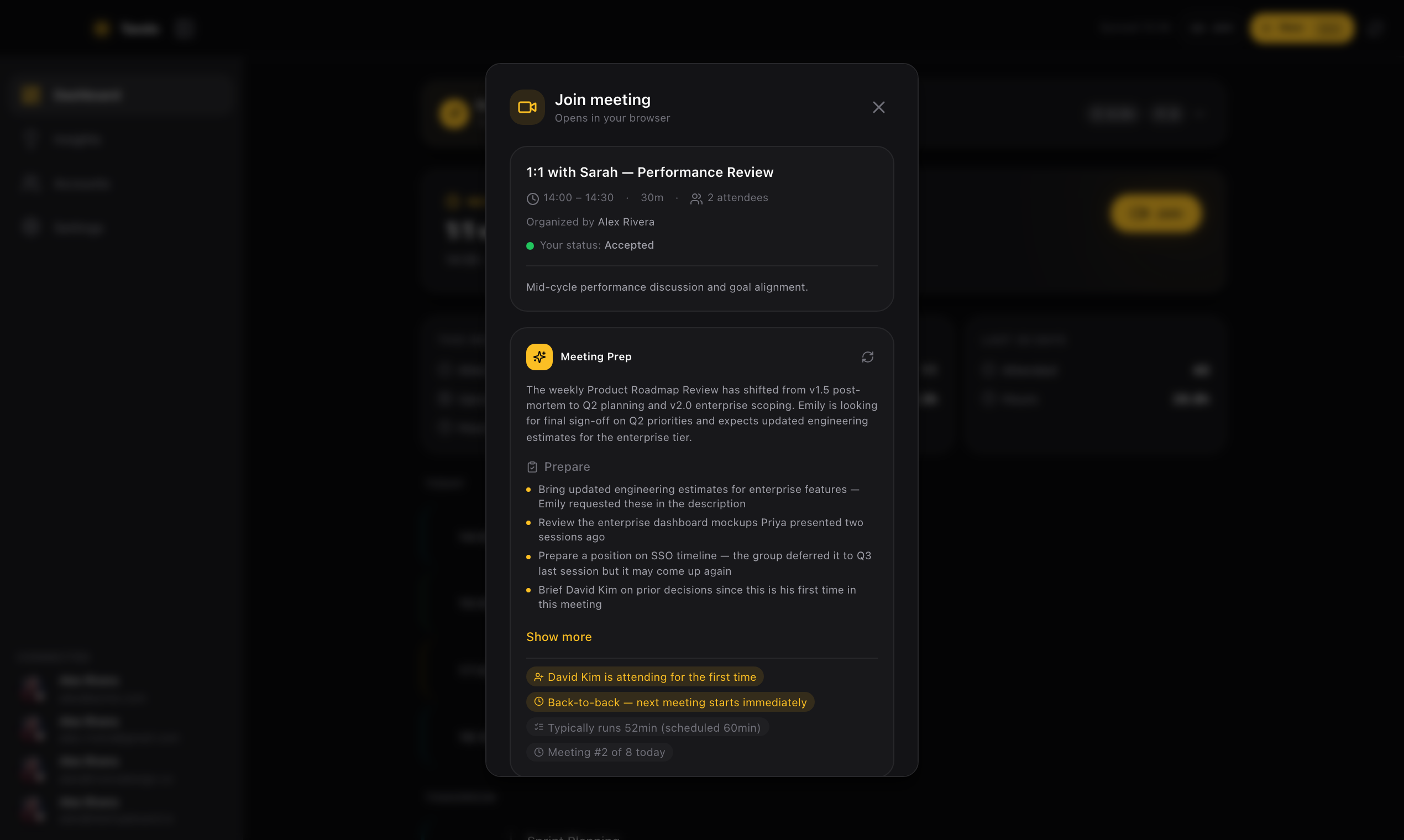 AI Meeting Prep
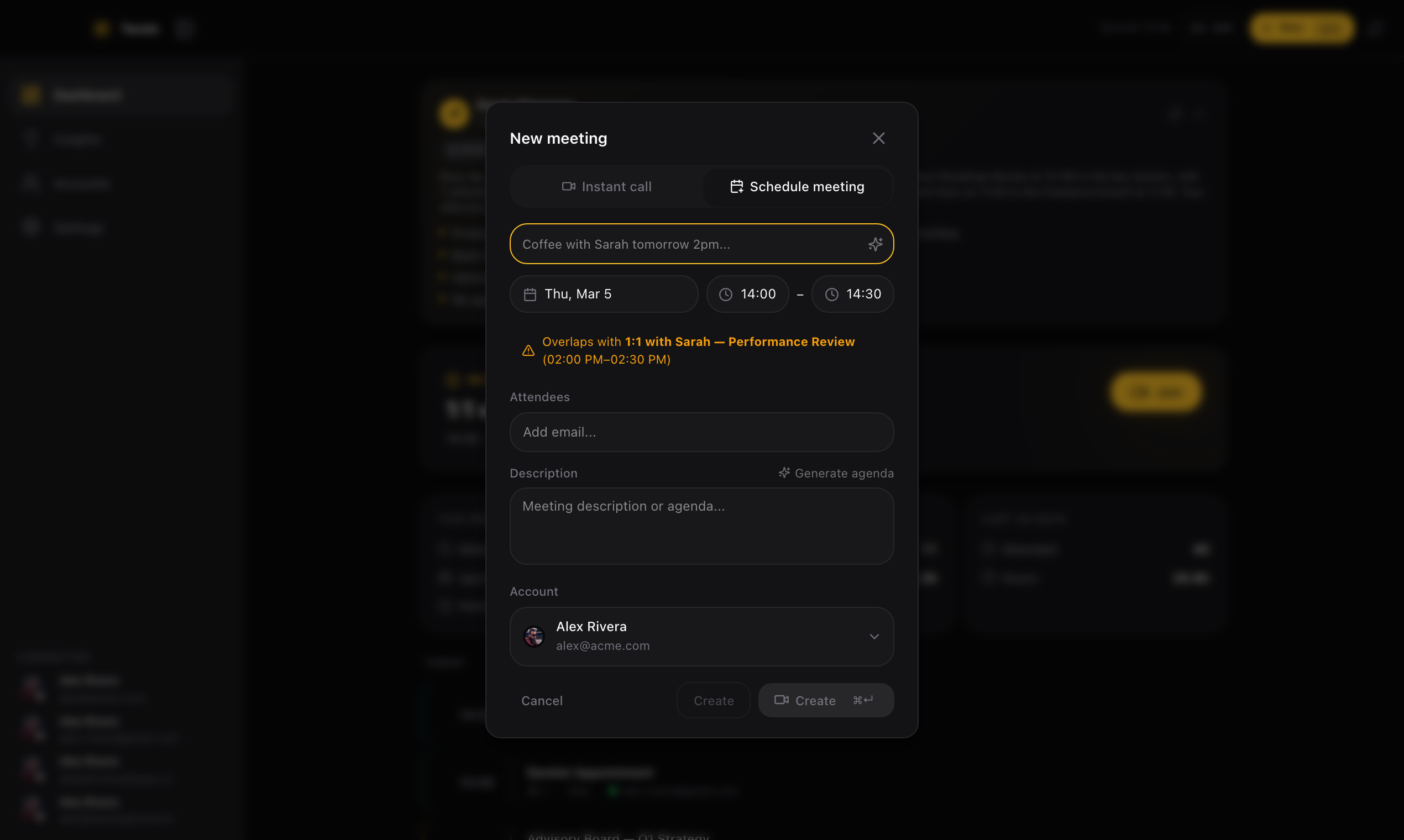 Create Meeting
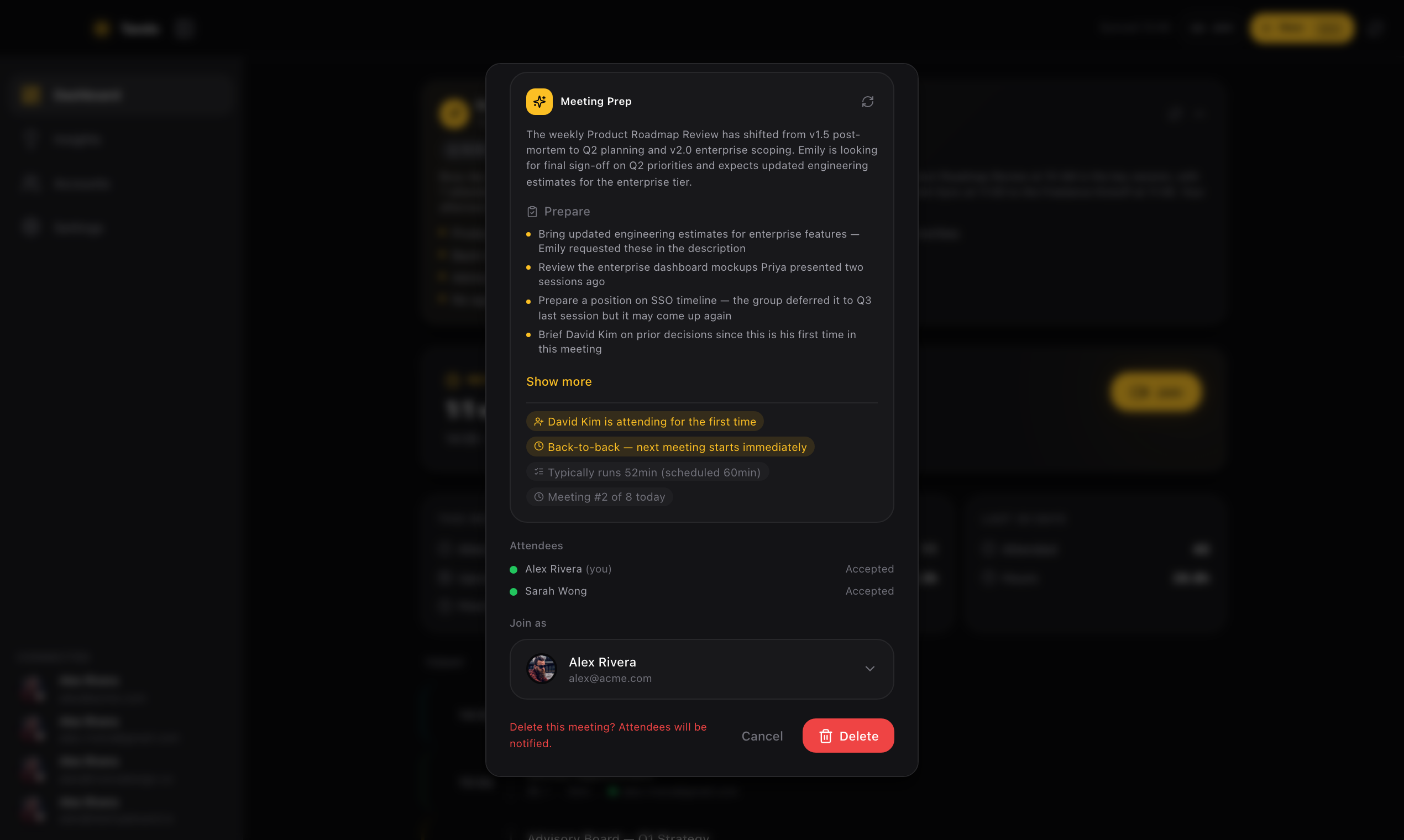 Meeting Management
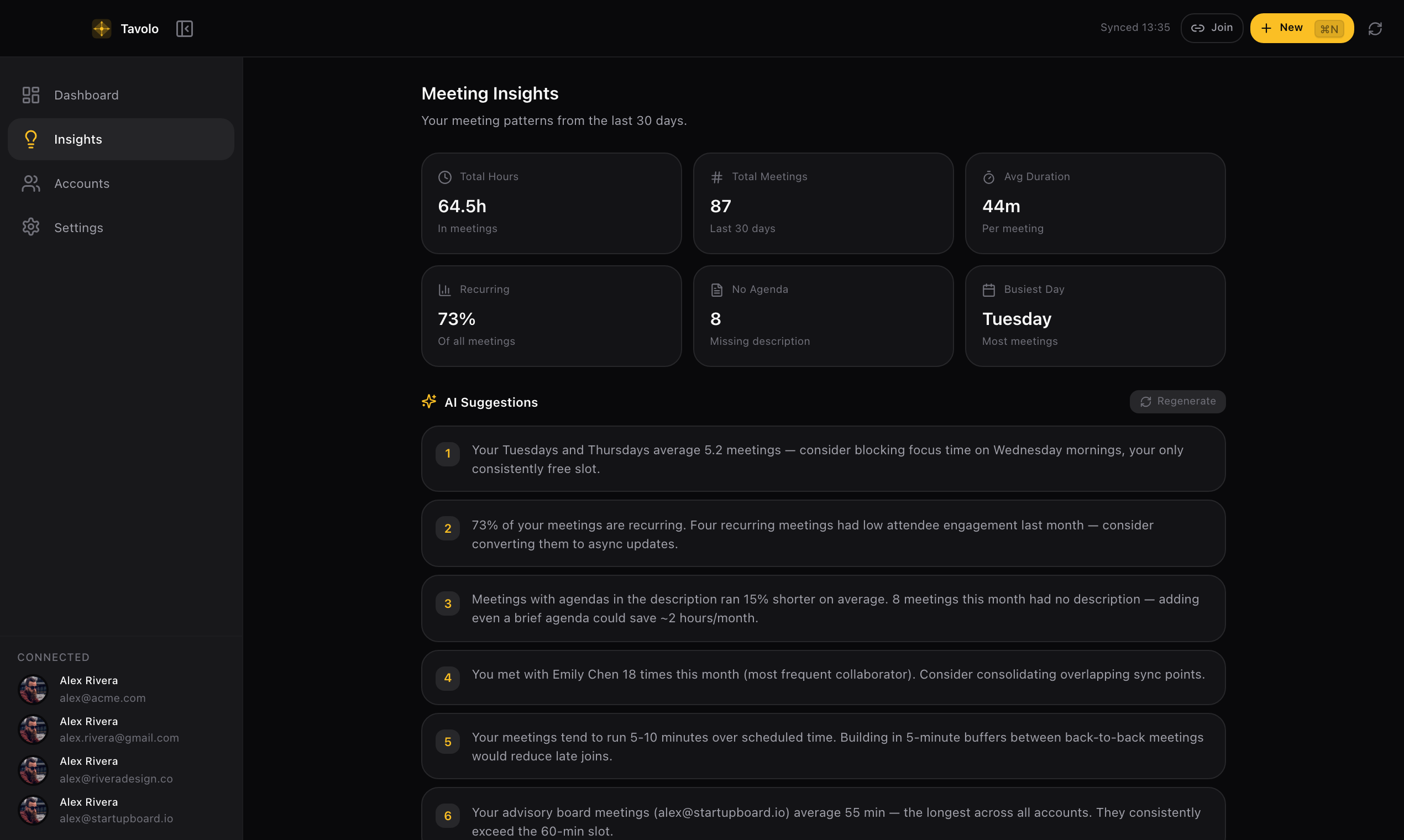 AI Insights
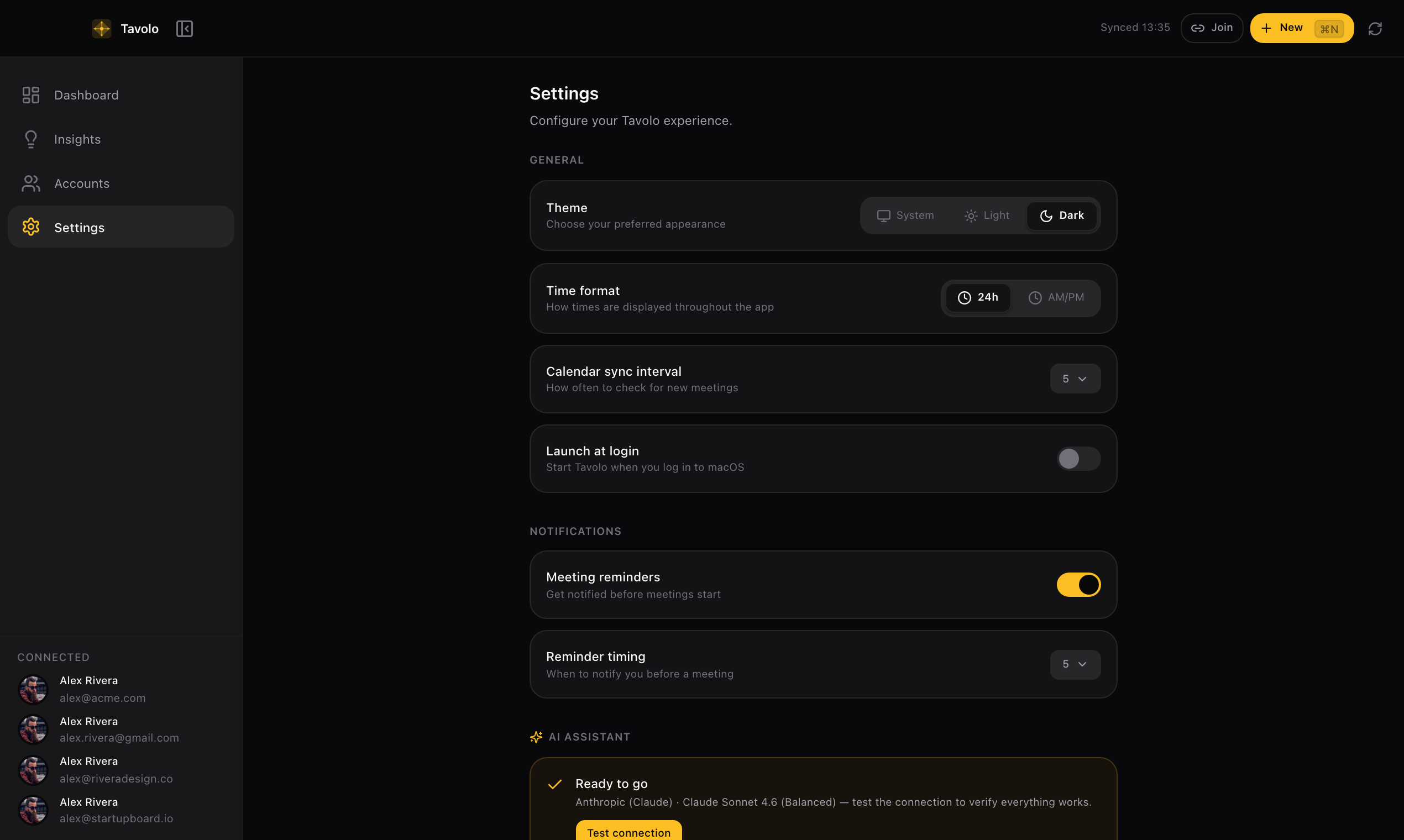 Settings
Ready to simplify
your meetings?
Download Tavolo and take control of your schedule today.
Requires macOS 12 (Monterey) or later
What is Tavolo?
Tavolo is a macOS desktop application that connects to your Google Calendar and Google Meet to help you manage meetings from one place. An always-on menu bar widget shows a live countdown to your next meeting and lets you join calls without even opening the app. Smart native notifications include meeting details, attendee count, and a one-tap Join button that opens the correct Google account.
Connect multiple Google accounts and see all your meetings in a unified timeline. With an optional AI provider — either on-device (no API key needed) or cloud-based (bring your own key) — Tavolo generates daily briefings, monthly meeting insights, and per-meeting prep briefs with attendee intel, group history, and pattern alerts.
Tavolo is privacy-first: all your data stays on your Mac, tokens are encrypted via the macOS Keychain, and nothing is sent to external servers. No analytics, no tracking.
How Tavolo uses your Google data
Calendar API
Reads your events, creates meetings, adds Meet links, and deletes events — always on your explicit action. Never touches your calendar without you initiating it.
People API
Fetches your profile name and email to identify connected accounts. No contacts or other personal data are accessed.
Local-only storage
All data stays on your Mac. Tokens encrypted via macOS Keychain. No external servers, analytics, or third parties.